A small app that starts instantly.
Runner is built in Rust on Tauri and uses your system’s own web view instead of bundling a whole browser, so the download is a few megabytes and it opens in a moment.
 Runner
Get Runner ↗
EARLY ACCESS
Runner is in active development and runs on macOS today, with experimental Windows builds.
New recently: importing straight from your Postman account; zooming the whole window with ⌘= and ⌘−; an MCP client that finds servers on your computer, on localhost and in the MCP Registry; code in 35 languages and libraries; export to Postman, Insomnia, HAR and a cURL script; find in responses; schema-aware GraphQL; a live console you can detach into its own window; per-collection environments; and updates that install themselves.
Runner-0.1.14.dmg · 8 MB
Your data stays on your computer: collections, environments, history and cookies are plain JSON files in your user folder. There’s no account and nothing to sync unless you export it.
REST, GraphQL and MCP in one fast app.
Build requests, watch them run, and take your work anywhere.
Built by a software developer with four decades of software development experience.
SPEAKS YOUR API’S LANGUAGE
WHY ANOTHER API CLIENT?
Postman got organization right and Insomnia got speed right. Runner takes the best of both, then adds what both leave out.
Runner is built in Rust on Tauri and uses your system’s own web view instead of bundling a whole browser, so the download is a few megabytes and it opens in a moment.
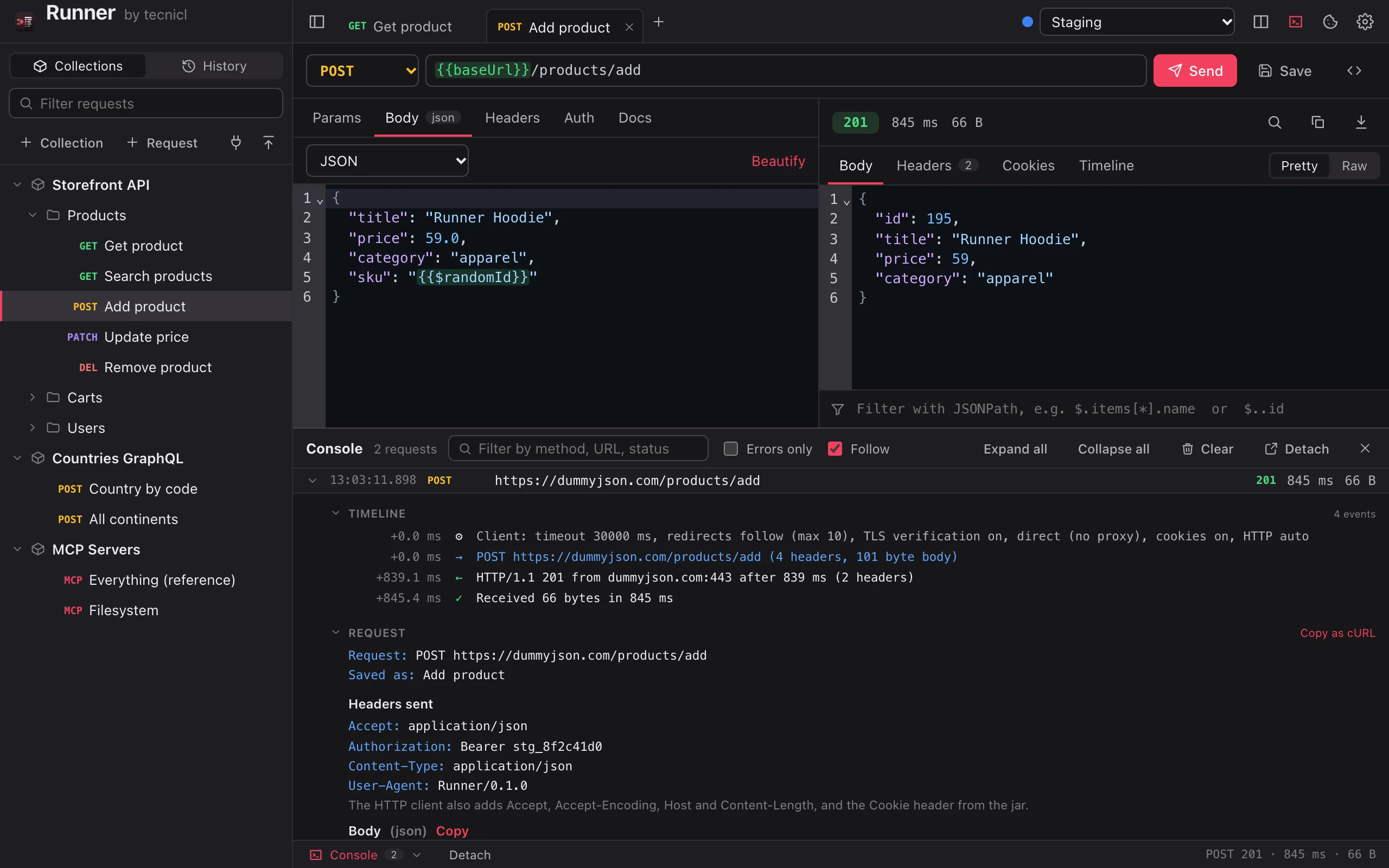
The console shows each step as it happens: the client settings, cookies attached, the exact headers sent, every redirect, the response and the download, with timings to the millisecond.
Folders, auth and headers inherited from the collection, global environments plus each collection’s own, secret values masked, and a history of everything you sent.
Import from Postman, Insomnia, HAR and cURL. Export to the same, generate code in 35 languages, or read the plain JSON files Runner keeps on your disk.
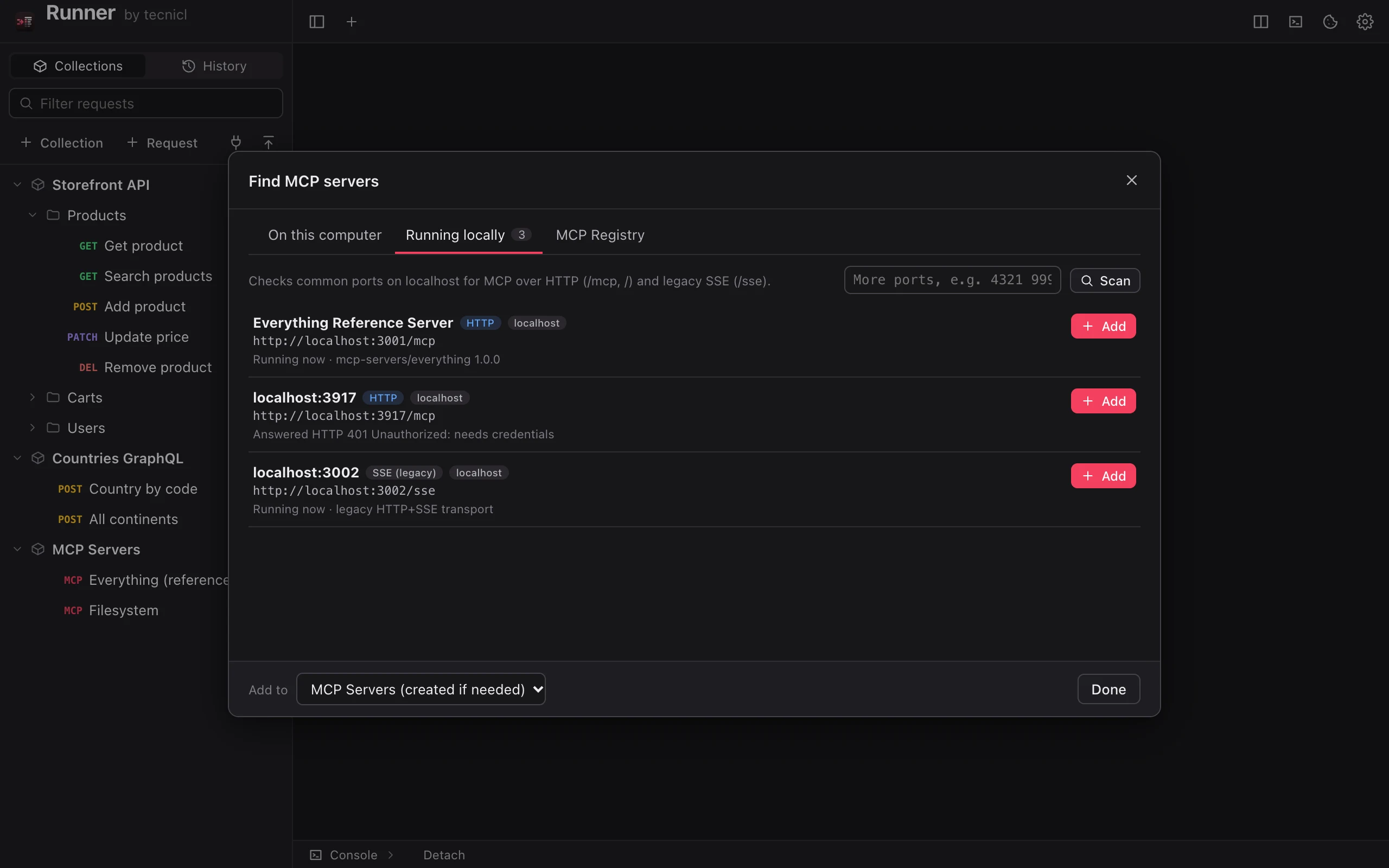
Connect to Model Context Protocol servers the way you’d test any API: browse their tools, run them from generated forms, and read every message, with a finder for the servers you already have.
Nothing leaves your computer except the requests you send. No sign-in, no telemetry, no team plan required to keep your own work.
WINDOWS & LINUX / IN TESTING
Runner runs on macOS today, and the same code builds for Windows and Linux. We’re looking for testers to put it through their everyday APIs.
Experimental Windows builds. These are untested: they haven’t been run on Windows yet, so expect rough edges, and please tell us what breaks. They aren’t signed yet either, so Windows will warn you before installing. Choose More info, then Run anyway.
Experimental and untested · Build 14 · x86 5 MB · Arm 4 MB
Try your real collections and workflows on the platform you use.
Become a tester ↗BUILT FOR THE APIS YOU CALL
Everything you do with APIs every day, and the details that make it quick.
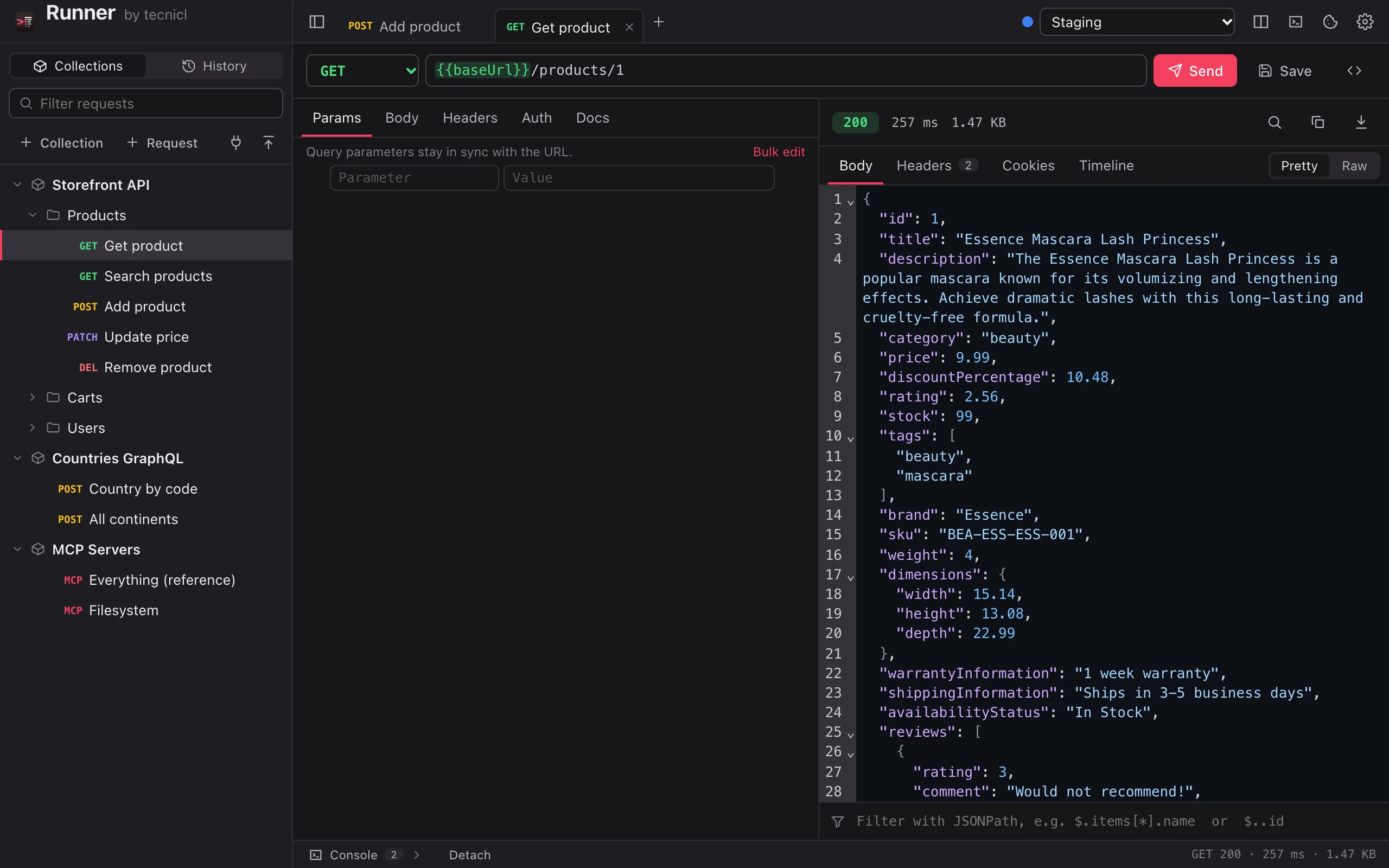
Every method, params that stay in sync with the URL, and bodies in JSON, XML, text, forms, multipart with files, GraphQL or a binary file. Paste a cURL command into the URL bar to import it.
Write {{baseUrl}} and see it highlighted green when it’s defined and red when it isn’t, with autocomplete after {{. Dynamic values like {{$uuid}} and {{$isoTimestamp}} are built in.
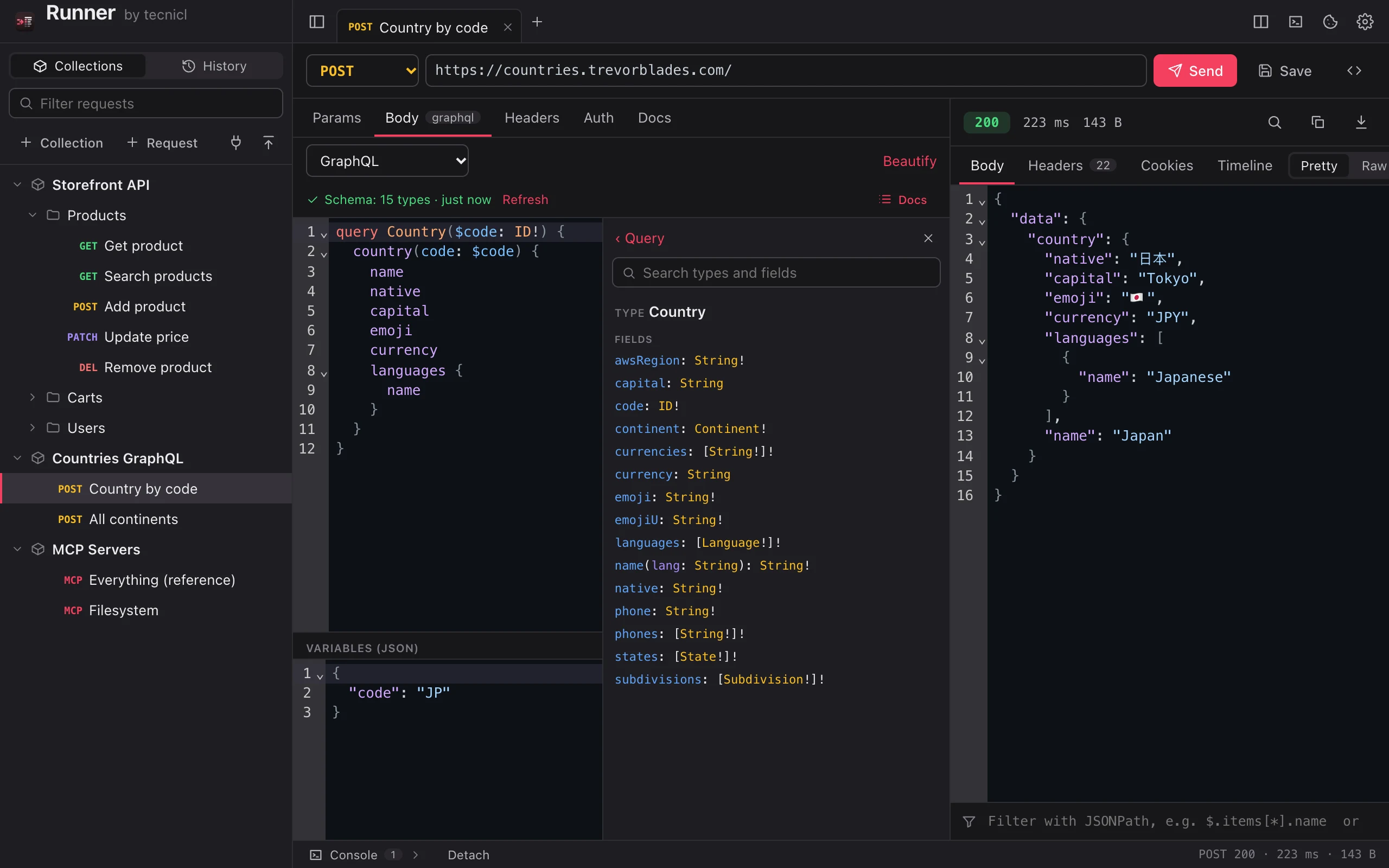
Runner loads the schema through your request’s own auth and environment, then gives you real highlighting, autocomplete, validation as you type, a docs browser and an operation picker.
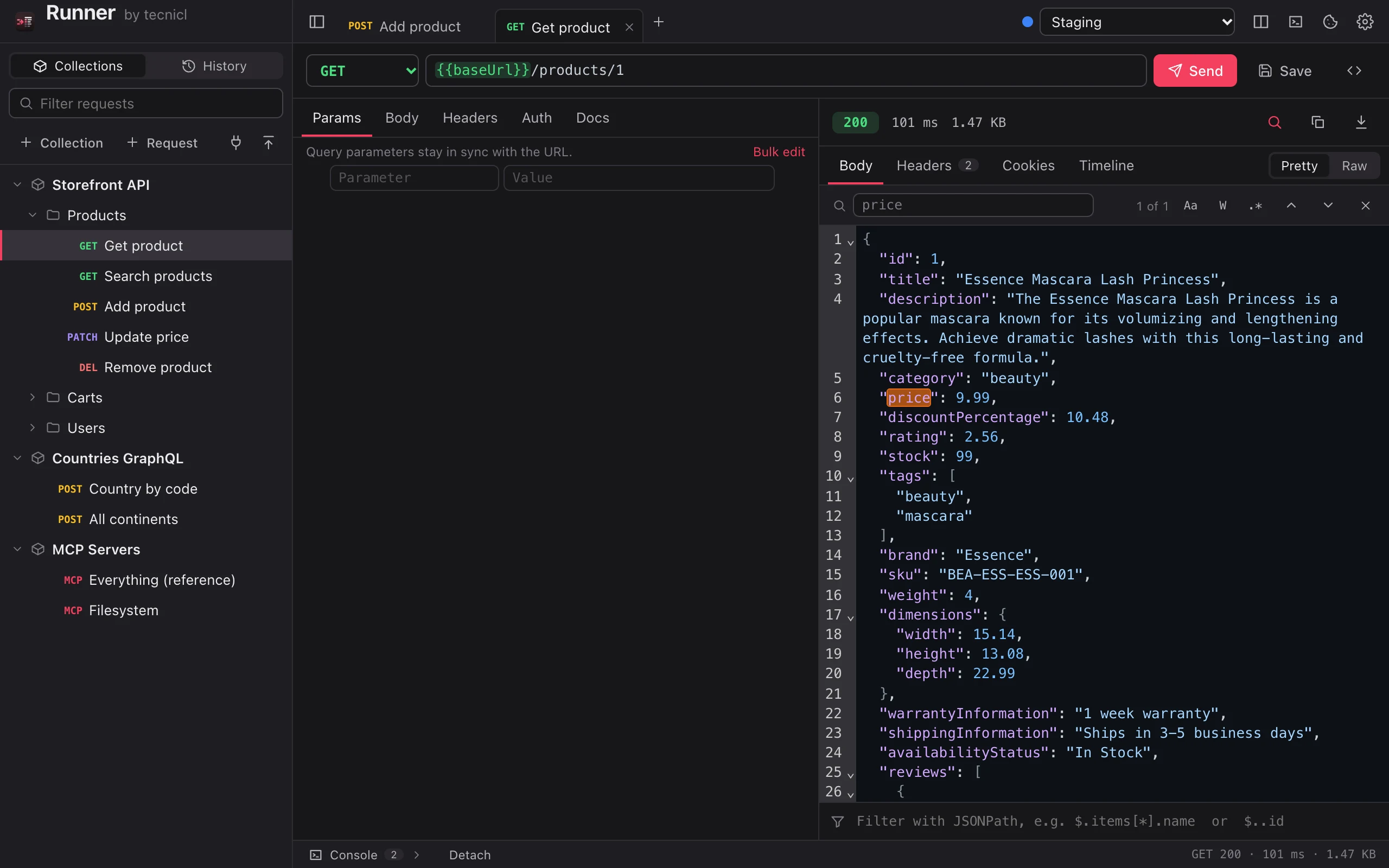
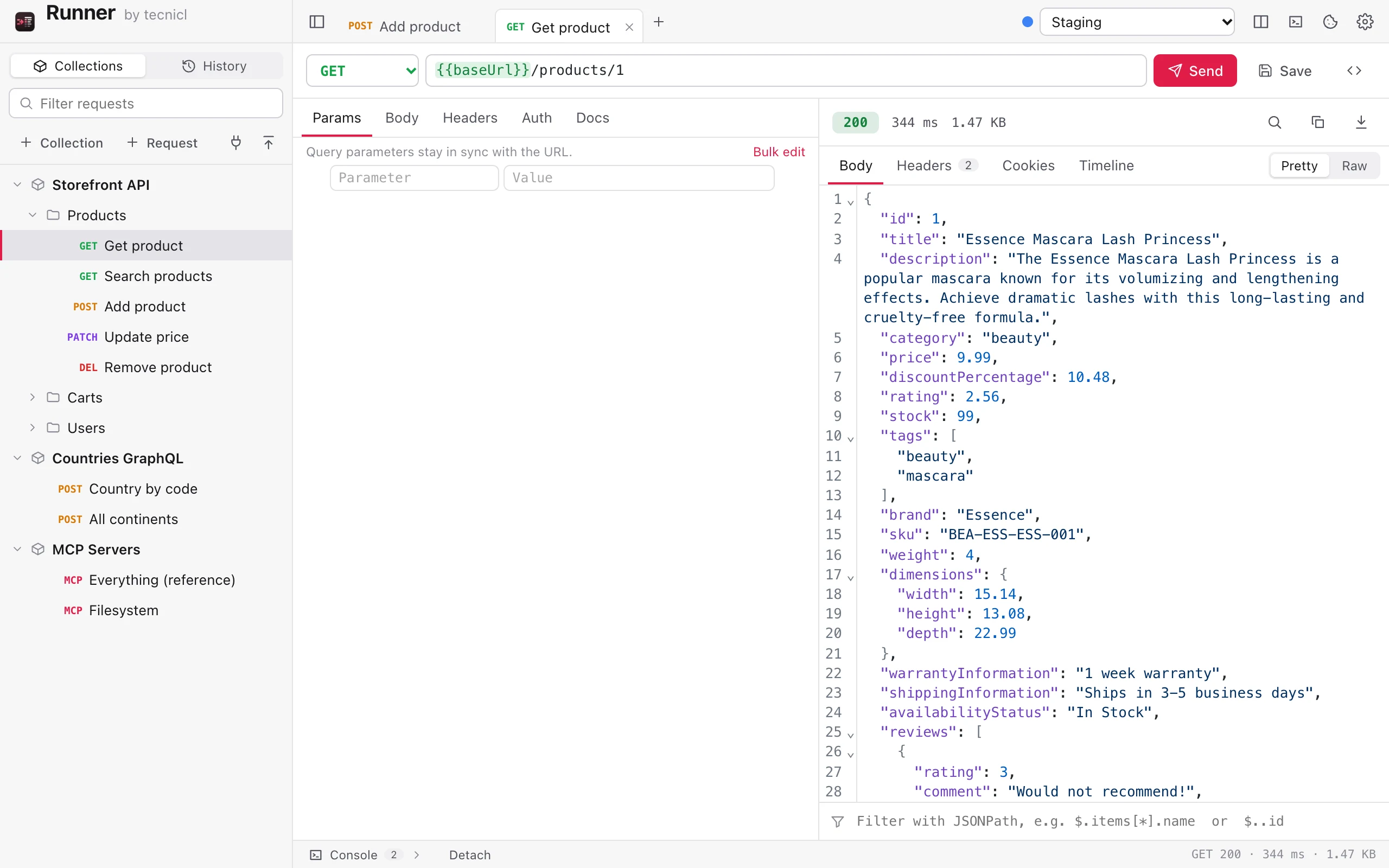
Pretty JSON, XML and HTML, previews for HTML, images and PDF, a JSONPath filter, and find with match case, whole word and regex across the body, headers, cookies and timeline.
Every request logged as it runs, with the full request and response one click away. Dock it under your work or detach it into its own window on a second screen.
Timeouts, redirects, TLS verification, HTTP version, cookies, proxy and bypass list, default headers, response limits, editor fonts and themes. If it can be set, there’s a setting.
MODEL CONTEXT PROTOCOL
Building tools for AI assistants? Runner is an MCP client built for developers, with every message in view.
npx and uvx just work.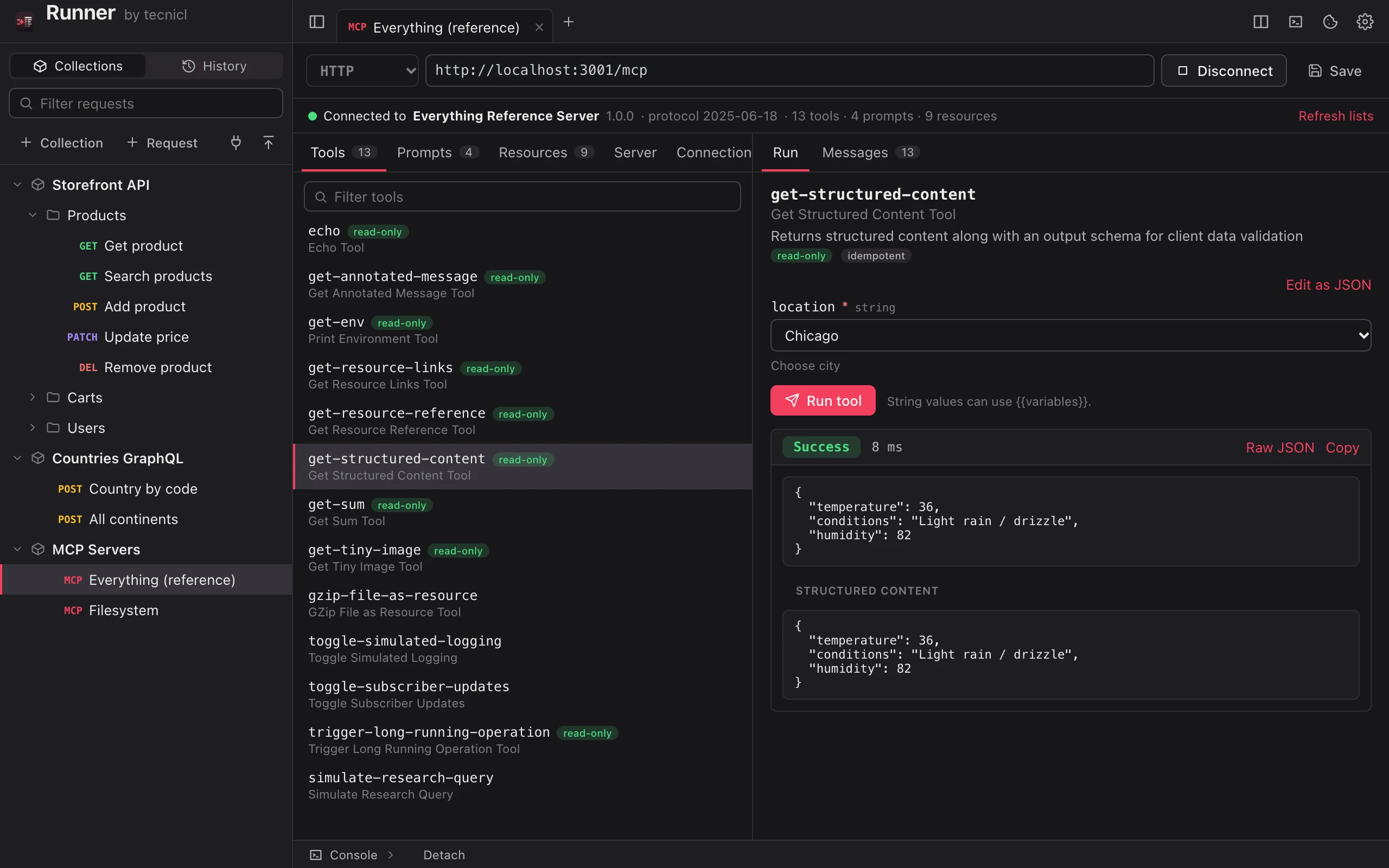
CODE & FORMATS
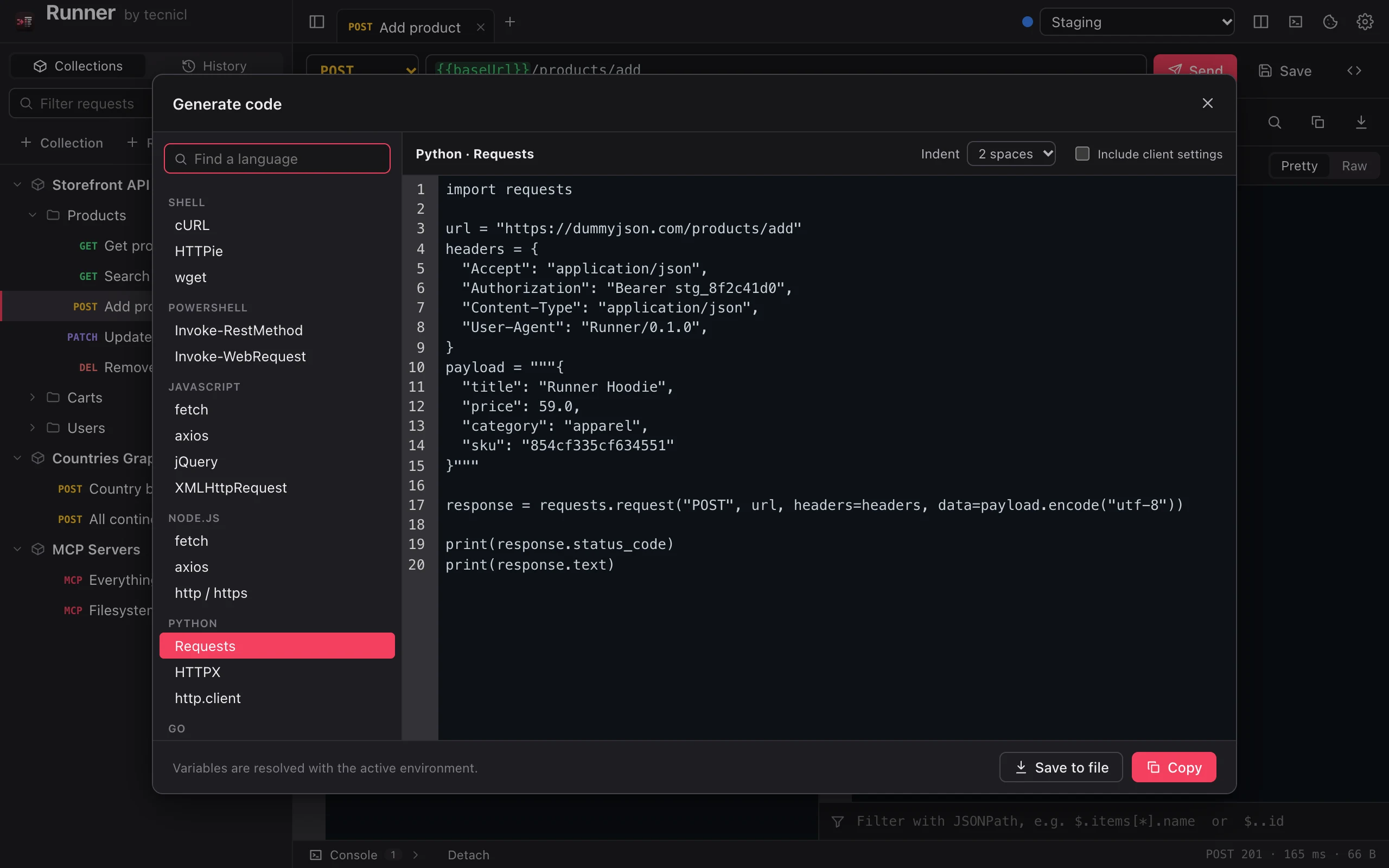
Every snippet comes with your variables, inherited headers and auth applied, and can be copied or saved as a file.
Import straight from your Postman account with an API key, or from exported collections, environments and globals. Export collections as v2.1.
Import v4 exports with folders, sub-environments and auth. Export collections back to Insomnia.
Import captured traffic from a browser, or export a collection with every request resolved.
Paste a command to import it, copy any request as cURL, or export a whole collection as a script.
REAL APP. REAL REQUESTS.
Captured from Runner calling public demo APIs.
THE FULL LIST
GET, POST, PUT, PATCH, DELETE, HEAD and OPTIONS.
Edit the URL or the table; disabled params stay in the table.
JSON, text, XML, HTML, form, multipart with files, GraphQL and binary.
Basic, Bearer, API key in a header or query, or inherited from a folder or collection.
See the headers added for you by auth, body type, folders and Settings.
Paste a command into the URL bar and it becomes a request.
Stop a slow request at any time.
Work in tabs; changes save as you type, or on ⌘S if you prefer.
Nest folders and drag requests between them.
Set them once on a collection or folder.
Global ones, plus each collection’s own, Insomnia-style.
Mark values secret to mask them everywhere.
UUIDs, timestamps and random values in any field.
Everything you sent, grouped by day, one click to reopen.
A cookie jar like a browser’s, with a manager to inspect and clear it.
With time to first byte and redirect count.
JSON, XML and HTML formatted; HTML, images and PDF previewed safely.
Narrow big JSON down to what you need.
Match case, whole word and regex across body, headers, cookies and timeline.
Request headers, redirect hops and timings for each response.
Watch requests run, docked or in its own window.
Save any body to a file, or copy it.
Introspection through the request’s own auth and environment.
Fields, arguments and types checked as you type.
Browse the schema; pick which operation runs; send as GET if you like.
Connect to remote and local servers.
Run them from generated forms and see rich results.
Every JSON-RPC message in and out.
Local configs, localhost and the MCP Registry.
A FEW GOOD QUESTIONS
Yes. Connect your Postman account with an API key and import a workspace’s collections, environments and globals directly; importing again updates them. You can also import Postman exports (collections v2.0 and v2.1, environments and globals), Insomnia v4 exports with their folders and sub-environments, HAR files and cURL commands. You can export back to Postman, Insomnia, HAR or a cURL script whenever you like.
No. There’s no sign-in and no cloud. Your collections, environments, history and cookies are JSON files in your user folder, so you can back them up, read them, or keep them in version control.
No telemetry. Runner only contacts the servers you send requests to, and tecnicl.com to check for updates, which you can turn off in Settings.
HTTP and HTTPS APIs of any kind, including REST, SOAP and XML; GraphQL with schema loading; and the Model Context Protocol over Streamable HTTP, legacy HTTP+SSE and stdio. WebSockets and gRPC aren’t supported yet.
Runner checks for a new version shortly after it opens and every few hours, and asks before installing. Updates are signed, and Runner only installs ones signed with its own key. Choose Check for Updates any time.
Yes. Turn off certificate verification for development servers, and set an HTTP, HTTPS or SOCKS proxy with a bypass list, all in Settings.
LESS CLICKING. MORE SHIPPING.